Interactive 3D property websites · Australia
3D property websites
worth stepping into.
Interactive 3D property websites for agencies, developers and property teams: spaces people can explore, the details they need, and enquiries that reach the right person.
Interactive 3D where it helps, fast ordinary pages where it does not, and an enquiry journey shaped around your business.
Explore in 3DShort answer
A good real estate website does three jobs. It shows each property clearly, answers the questions buyers and renters ask before they call, and sends every enquiry to the right person with the context attached. I design and build that around your listings and CRM, and add interactive 3D only where it helps people decide.
Real-estate capability demo
Look around. Get a feel for it.
A furnished living room. Three perspectives. Try it for yourself.
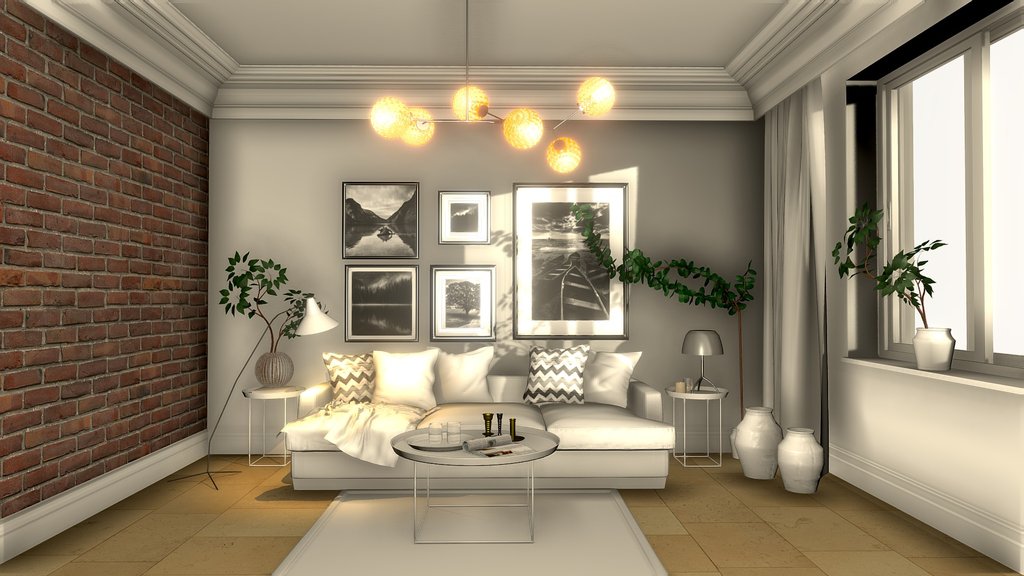 INTERIOR / 3D STUDY
The interactive 3D view needs JavaScript and a compatible graphics-enabled browser. The preview, project explanation and contact link are available without it.
About this exampleAllay Design · CC BY 4.0
3D model and source preview: “Interior Scene” by Allay Design, CC BY 4.0. Web interface and interaction by Yo-Da Lai. Model optimised for web delivery; camera and lighting adapted.
A licensed capability example, not a client property or a claim that I created the original architectural model. This visualisation is not a survey or a statement of property condition.
What the website has to do
Five things a real estate website needs.
A beautiful homepage is not enough. These are the parts that decide whether a visitor becomes an enquiry.
- Listings that stay current
- Use the listing data your team already updates in its CRM, where the CRM provides a feed, so the website never shows a sold or leased property as available.
- Property pages that answer questions
- Price guide or sale method, inspection times, key features, location and documents written as ordinary page text that people, search engines and AI tools can read.
- Enquiries that reach the right person
- Each enquiry carries the property, the question and how the person wants to be contacted, and goes to the listing agent or property manager instead of a shared inbox.
- Built for phones first
- Pages load quickly on a mobile connection. The 3D view loads only when someone asks for it, and the useful content never depends on it.
- Yours to own
- You keep the domain, the content and the accounts. Scope, costs and ownership are agreed in writing before anything is built.
Beyond the beautiful first impression
Make the next step feel natural.
The model draws someone in. The website should answer their questions and make it easy to act. Here is how I would connect those pieces.
Real-estate agency
From browsing a listing to a useful conversation.
Explore
Let a buyer look around before arranging a visit. Keep photos and a clear property summary alongside the 3D view.
Understand
Surface the details they need: verified features, location information and inspection options.
Enquire
Let them ask about this property, with a clear choice of how they want to be contacted.
Follow through
With approved access, route the enquiry to your existing CRM and prepare the next action for your team to review.
Property development
Help buyers understand a place before it is built.
Explore
Present an approved architectural visualisation with clear proposed-design labels.
Understand
Explain layouts, inclusions and available options. Distinguish renders from completed-property photography.
Enquire
Capture interest in the relevant residence or layout, with a straightforward next step.
Follow through
With permission, send that context to your sales team so the buyer does not need to start again.
Interior design
Let the client see the idea, not just imagine it.
Explore
Present a room concept that a client can inspect in their browser.
Understand
Show the materials and design decisions, with confirmed specifications kept separate from illustrative finishes.
Enquire
Give the client a simple way to discuss the concept or request a consultation.
Follow through
Connect approved feedback to your project process, with a person reviewing changes before anything is committed.
Illustrative workflows, not live integrations in this demo. Connections, permissions and approval steps are scoped for your business.
What I would build with you
Your brand. Your property. Your workflow.
Start with the experience your customer needs. Then choose the right format, from excellent photography and a focused landing page to an interactive 3D scene.
- The experience
- A custom interface, mobile navigation, useful property information and a clear enquiry path.
- The visual assets
- Your approved photography, an existing model you have rights to use, or visual production separately scoped with the right specialist.
- The handover
- Agreed integrations, human approval where needed, analytics consent, performance checks and guidance for the team maintaining it.
A few things worth knowing.
What should a real estate agency website include?
Current listings, a clear page for each property, inspection times, the team and the suburbs you work in, and an enquiry path that reaches the right agent. Appraisal requests and property management enquiries need their own simple routes, because they are different conversations.
Do I still need a website if my listings are on realestate.com.au and Domain?
Portals are where many buyers start. Your own website is where they check who you are, see your other listings and contact the right agent directly. It is also the one channel whose design, content and enquiry data you control.
What is a 3D property website?
It combines ordinary, accessible website content with an interactive model or tour. Visitors can explore the space, understand the offering and make an enquiry without being sent through an unrelated presentation.
Do I need an existing 3D model?
Not necessarily. We can start with photography, use an appropriately licensed existing model, or scope new visual production. Accurate property representation needs approved source material; this demo is not a model of your property.
Will it work on phones?
The interface is designed for mobile and desktop. The interactive scene needs a compatible graphics-enabled browser; the still image, useful content and enquiry path remain available if 3D is slow or unavailable. Device testing belongs in the project scope.
Can this connect to my CRM or booking system?
That can be scoped where your systems provide suitable authorised access. We agree the fields, consent, permissions, duplicate handling and human review before connecting anything live. This demo does not submit property enquiries.
How do you approach SEO and AI search?
I make the important information available as ordinary page text, with descriptive headings, internal links, accurate metadata and structured data that matches the page. Those foundations help search systems understand the offering, but no one can guarantee rankings or AI citations.